


Custom Templates
In FlowMapp 3.0 you can save your Sitemaps or User Flows as Custom Templates to use them later in the same or in other Projects.
Saving Custom Templates
Here is how to save a Sitemap or a User Flow:
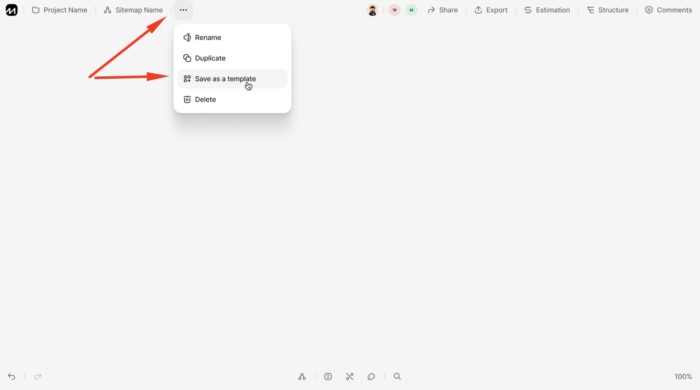
- Open a Sitemap you’d like to save as a Template;
- In the context dropdown menu click Save as a template.
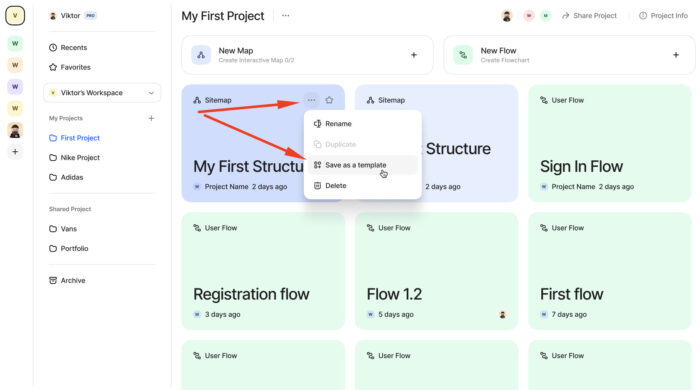
- Locate a Sitemap you’d like to save as a Template in the Project from your Project Desktop;
- Hower a mouse over it and in the dropdown menu select Save as a template.
OR
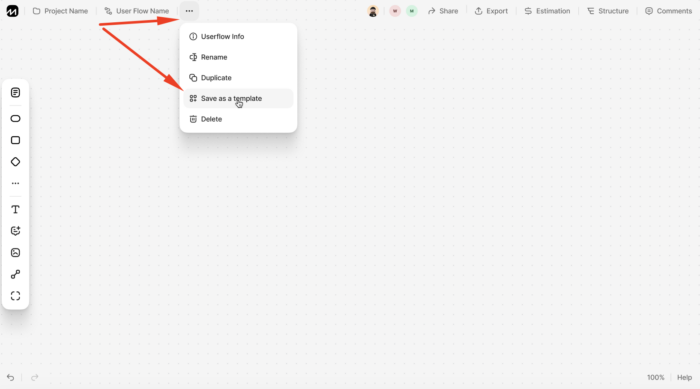
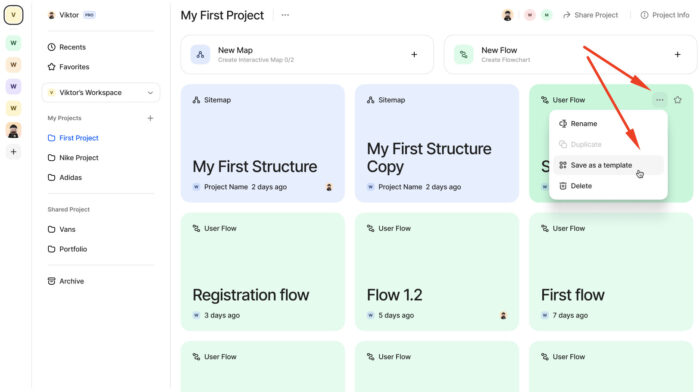
Exactly the same goes for User Flows:
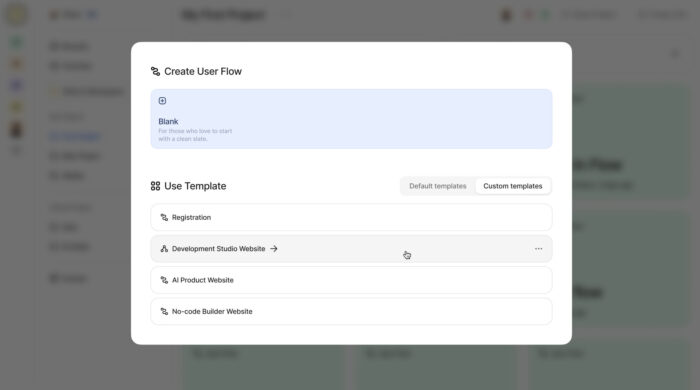
Creating Sitemaps or User Flows from Custom Templates
- Open a Project needed and select either New Sitemap or New User Flow;
- In the menu popped-up open Custom templates tab;
- Find a Template you need and click on it.
- In the menu popped-up open Custom templates tab;
- Find a Template you need and click on it.
New Sitemap:

New User Flow:
Deleting Custom Templates
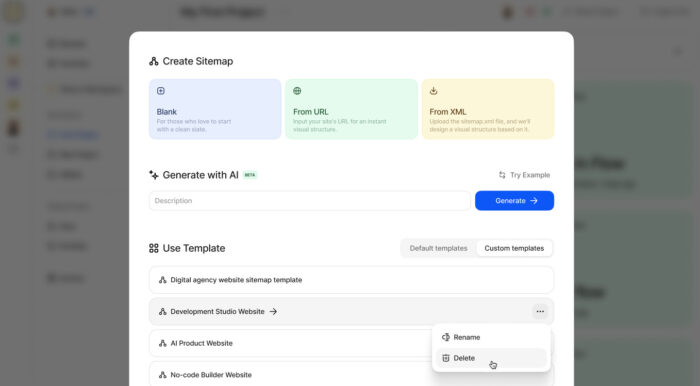
- Open the Custom templates tab;
- Hower mouse over a template you want to delete;
- Open a dropdown menu;
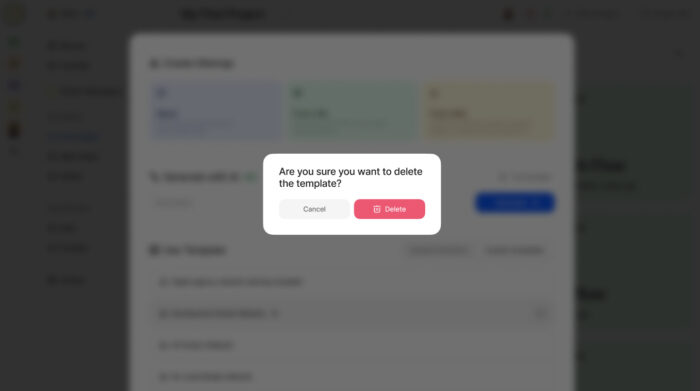
- Select Delete and confirm the action.
Was this article helpful?
Still need help? Contact us


