


Changing Your Password
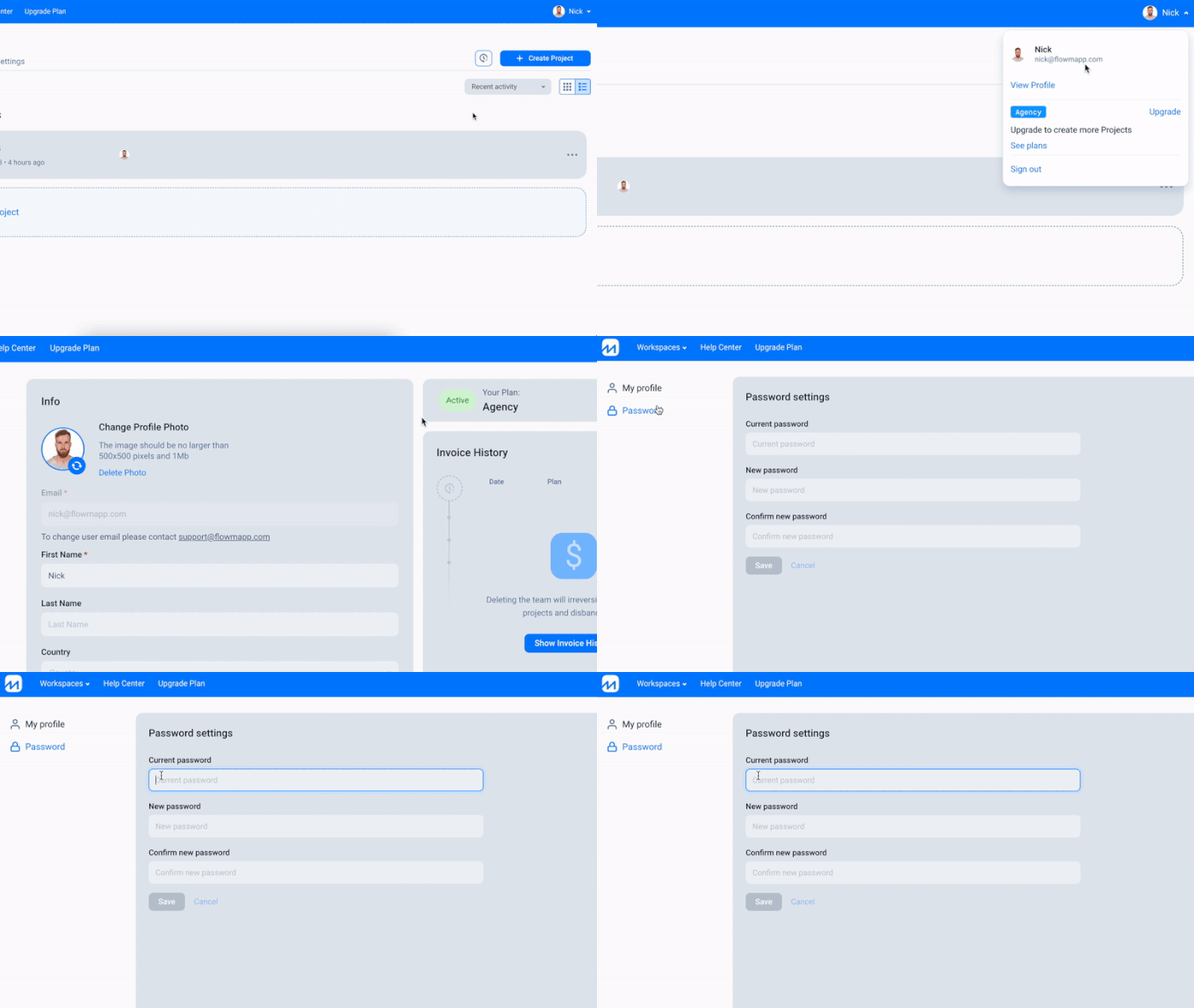
To Change Your FlowMapp Password:
- Log into your account.
- Click your name at the top right corner of the screen and click View Profile.
- Open Password tab.
- Enter your current password once, then enter your new password twice and click Save Changes.
Was this article helpful? 3
Still need help? Contact us


